
You can attack other players as long as they are not in beginner’s protection or banned.
A target village/city can be chosen using the map, the statistics, or by entering the village/city name or coordinates of the village you want to defend in the Rally Point.
Attack vs Raid
The difference between a normal attack and a raid is that a normal battle will be fought until one of the armies is dead. Raids will only do partial damage to both armies and in almost every case the attacker will have at least 1 surviving soldier.
An attack is meant to destroy the target.
This offensive mode should be limited to targets that are meant to be destroyed. Raiding by attacking does not reduce the bounty. An attack can inflict more damage to both attacker and defender than a raid.
Certain actions can only happen by a successful attack:
Destroying Buildings and walls: Catapults and Rams will only work in attack or siege mode.
Conquering: Chiefs/Senators/Chieftains work only during attacks or sieges. When sending a Senator to attack a village or World Wonder, the Rally Point requires an escort of at least 50 troops. This helps reduce the risk of losing the Senator, since buildings can kill attacking units even when no defending troops are stationed there.
Releasing trapped troops: Troops that are trapped by a Gaul’s Trapper can only be released by an attack. If the defender has traps, some attackers may be trapped and then released immediately if the attack is successful.
Attacking with multiple waves: If you want to send more than one attack (usually done with catapults), you can open multiple tabs in the rally point. Attacks from different villages can also be timed to arrive at the same second when the villages have different travel times; for example, three attacks from one village and two from another can be coordinated to arrive simultaneously. However, there is a limit in Travian: Kingdoms to the number of waves you can send per second depending on the travel time:
< 3h: 1 wave
3-6h: 2 waves
6-12h: 3 waves
> 12h: 4 waves
How to send an attack
In the Map view, click on the village you wish to reinforce and select "Send troops".
Next, enter the number of troops you wish to send and select "Attack" as a type of attack.
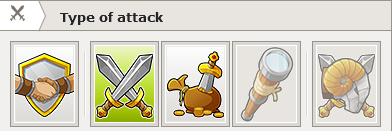
Then click “Send” and the troop(s) will be sent.
The report will give you the results of your attack.