Your village's troops gather at the Rally Point. From here you can send them out to settle, conquer, attack, raid, or reinforce other villages. The Rally Point can only be built on the curved area just below your Main Building. When trying to launch an attack or raid on a player who is a member of your kingdom, you will get a notice.. Requirements: None | 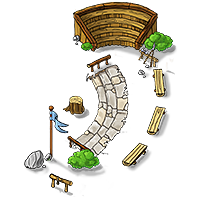 |

The Rally Point offers several tools for managing and planning troop movements. Besides sending troops, you can keep track of incoming and outgoing movements, manage Farm Lists, and use the Combat Simulator to estimate the outcome of a battle.
From here, you can also view troops stationed in or sent from the village and recall your own reinforcements when needed.
From the Rally Point, you can select a target, choose your troops, and decide what you want them to do.
Depending on the troops selected and the target, different actions may be available:
Reinforcement – Send troops to help defend another village.
Attack – Fight until one side is defeated and, when applicable, use Rams, Catapults, or conquest units.
Raid – Attempt to steal resources without fighting a full battle.
Siege – Launch a slower attack with additional attack strength. A Siege requires at least 1,000 troops and one Ram.
Scouting – Gather information about another village using scouts.
You can also send Settlers from the Rally Point to found a new village.
Learn more in
The Rally Point gives you an overview of troops connected to the village.
Here you can keep track of incoming and outgoing troop movements as well as troops stationed in other villages. Reinforcements you have sent can also be recalled from the Rally Point.
Troops reinforcing another village are supplied with crop by the village where they are stationed.
Farm lists allow you to prepare and launch many raids quickly. Troop movements started from a farm list are always sent as Raids. Attacks, Sieges, Reinforcements, and Scouting cannot be sent through a farm list.
Instead of entering the target and troop composition for every raid individually, you can save them in advance.
Without Plus, you have one farm list with up to 10 entries.
With Plus, you can create up to 100 farm lists, with up to 100 entries per list.
If Plus expires, farm lists that are no longer available are disabled. The newest farm list remains active with the 10 entries closest to your capital village and can still be edited.
For each farm list entry, you define:
the village you want to raid
the type and number of troops to send
Targets can be added from the map or by entering the village name or coordinates.
Farm lists can contain active and inactive player villages that are no longer protected by beginner's protection. Robber Camps and other NPC villages, villages of banned players, and villages already included in the same farm list cannot be added.
The same village can, however, be included in multiple farm lists. Individual farm list entries can also be copied to another list, but they cannot be moved directly. If you want to move an entry, copy it to the new farm list and remove it from the old one.
When you start a farm list, targets are processed from top to bottom. Farm list entries are automatically sorted by their distance from your village, with the closest targets appearing first.
If there aren't enough of the required troops available for an entry, that target is skipped. The remaining entries are then processed in order.
Villages may automatically disappear from your farm lists when their activity status changes.
This happens both when an active player becomes inactive and when an inactive player becomes active again.
If a target unexpectedly disappears, check its activity status before assuming that something went wrong.
For strategies on choosing targets, troop numbers, and raid frequency, learn more in The Art of Micro-Farming.
The Combat Simulator allows you to estimate the outcome of a battle before sending your troops.
You can enter the expected attacking and defending forces along with relevant battle conditions to see the likely losses on both sides.
You can also open the Combat Simulator directly from a battle or scouting report. The troops shown in the report are automatically transferred to the simulator, so you don't have to enter them manually.
This is particularly useful after a successful scouting mission. Once you know which troops are defending a village, you can transfer that information to the Combat Simulator and test how different attacking armies might perform against them.
The Combat Simulator calculates the result based on the values you enter. While the calculation itself is accurate, the actual battle may have a different outcome if some of the information is incomplete or has changed. For example, you may not know the exact Smithy upgrade levels of enemy troops, or additional reinforcements may arrive before your attack.
Learn more about the factors that influence battles in Combat Basics.
The Rally Point can help you identify the types of troops in an incoming enemy movement.
It does not reveal the exact number of units. Instead, a ? appears next to a troop type when it has been detected.
For example, if an enemy attacks with 1 Clubswinger and your Rally Point can detect the incoming movement, a ? will appear next to Clubswingers.
Whether the troop types can be detected depends on the total number of troops in the incoming movement, your Rally Point level, and the current item tier of the game world.
The detection limit is calculated as:
Rally Point level × game world's item tier
For example, at item tier 1, a level 10 Rally Point can detect an incoming movement containing up to 10 troops. At item tier 2, the same Rally Point can detect up to 20 troops.
For mixed armies, the total number of units in the movement is what matters. If the total exceeds your current detection limit, the troop types remain hidden.
The level of your Rally Point also determines which buildings you can select when attacking with Catapults.
Level 1 – Catapults can only target randomly.
Levels 3, 5, and 10 – More target options gradually become available.
Level 10 – Almost every building can be selected. The Cranny, Stonemason's Lodge, Trapper, and hidden Treasury cannot be targeted directly.
Level 20 – With at least 20 Catapults, you can select two targets from the same available targets as at level 10.
Buildings that cannot be selected directly may still be destroyed when Catapults fire at a random target.
Destroying the Rally Point does not cancel troop movements that are already underway. However, no new troop movements can be started from the village until the Rally Point has been rebuilt.
There are limits to how many troop movements you can have underway:
A maximum of 2,000 outgoing troop movements across all your villages.
A maximum of 50 outgoing troop movements to the same target.
These limits also apply when using Farm Lists. If a limit is reached, some raids or other troop movements cannot be sent until enough existing movements have ended.
Other restrictions, such as beginner's protection, Vacation Mode, or a Night Truce, may also prevent troops from being sent or reaching a particular target.